Free customer success story templates
Turn one customer interview into a blog post, one-pager, social posts, emails, and more.
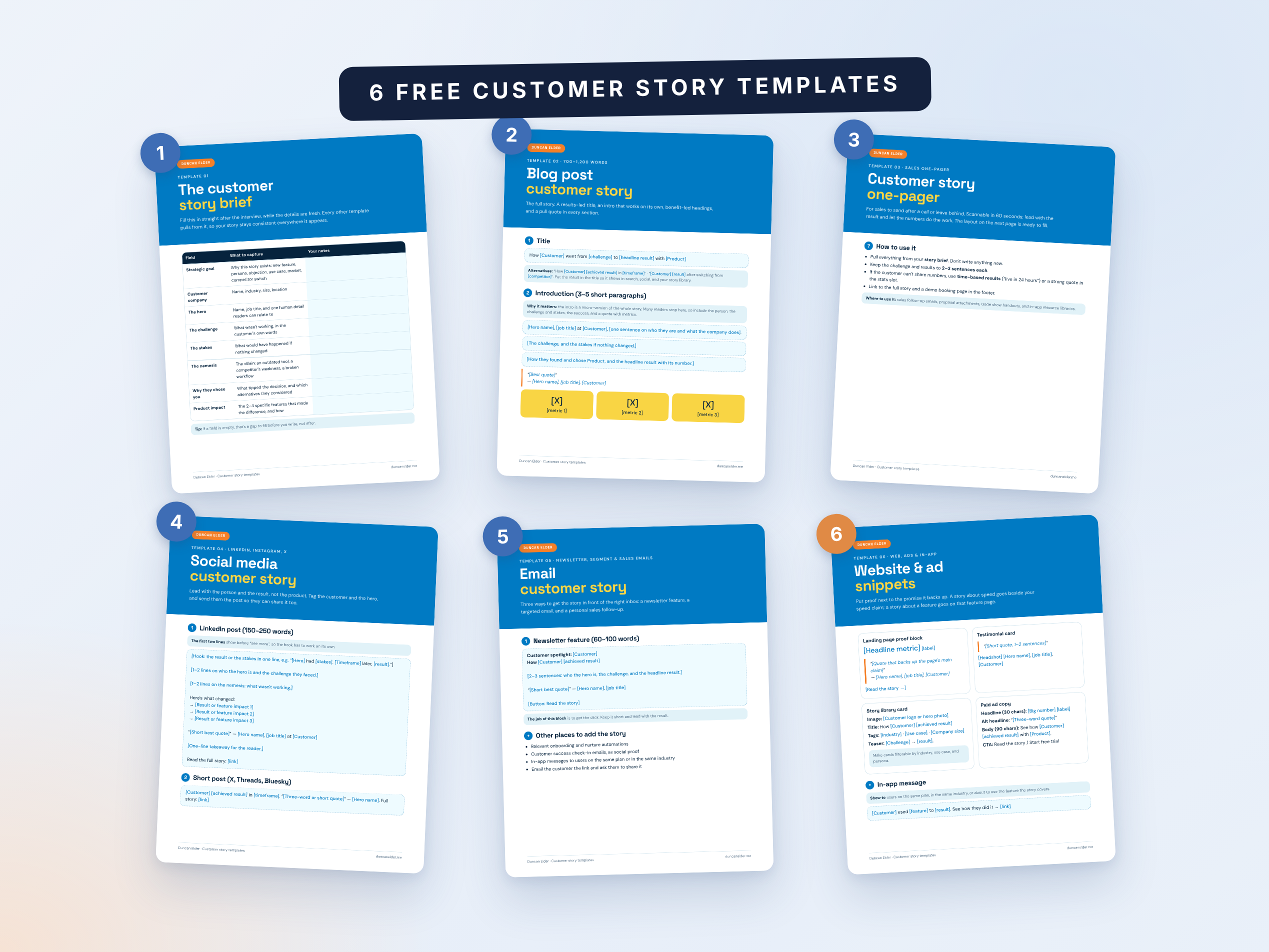
Most teams treat a customer success story as one blog post. They spend weeks finding a customer, running the interview, and getting approvals, then publish it once and move on.
That's a waste. A single customer story can power your sales follow-ups, landing pages, newsletters, social feeds, and ads for months. The problem is that rewriting it for every format takes time most teams don't have.
That's why I created these free customer success story templates. They're based on the process I used to write 20+ customer case studies for MailerLite and MailerSend. There's one template for each format you're likely to need, and they all pull from the same brief. Fill in the brief once, and you can turn one interview into a full set of marketing and sales assets.
What's in the customer success story template pack
The pack includes six templates. Each one comes with placeholders to fill in and short tips on what makes that format work.
1. Customer story brief template
This is where every story starts. It captures everything you learn in the interview, from the hero and their challenge to your best quotes and metrics, in one place.
It also shows you what's missing. If a field is empty, you know to follow up with the customer before you start writing, not halfway through the first draft.
2. Blog post customer story template
The full, long-form version of the story. It's the one you'll link to from every other format, so it's worth getting right.
The template follows the structure I've used for dozens of published case studies: a results-led title, an introduction that works on its own, benefit-led headings, and a pull quote in every section.
3. Sales one-pager template
A scannable, single-page version for your sales team to send after a call or attach to a proposal. A prospect should be able to understand the whole story in under a minute.
It leads with the results and keeps everything else short, with an at-a-glance sidebar covering the customer's industry, size, and use case.
4. Social media posts template
Templates for a LinkedIn post, a short post for X, Threads, or Bluesky, a quote card, and an eight-slide Instagram carousel.
Each one is built around the person and their result rather than your product, which is what actually gets engagement.
5. Customer story email template
Three ways to get the story into the right inboxes: a short newsletter feature, a standalone email for a targeted segment, and a personal follow-up for sales reps.
The sales email is one of the most underused assets in any customer story program. When a prospect raises an objection, a rep can send a story about a customer who had the same concern and saw results anyway.
6. Website and ad snippet templates
Short, reusable blocks for your site and campaigns: a landing page proof block, a testimonial card, a story library card, paid ad copy, and an in-app message.
These are small, but they're often where your story gets seen the most.
How to use the templates together
The templates are designed to work as a set. Here's the order I recommend:
- Fill in the brief straight after the interview. Details fade fast, and the brief is the single source every other format draws from.
- Write the blog post first. It's the longest format, so it forces you to work out the full story. Every other template links back to it.
- Cut it down into the one-pager. Pull the headline result, the key metrics, and your best quote. Don't write anything new.
- Get one round of customer approval. Send the blog post and one-pager together, and mention you'll use quotes and metrics in other formats. One approval is much easier than six.
- Create the social posts, emails, and snippets. These should take minutes, since everything you need is already in the brief.
Working this way keeps your story consistent. The same hero, the same numbers, and the same quotes appear everywhere, so nothing contradicts anything else.
Tips for getting more from every story
- Collect more quotes than you think you need. Every format needs a different one: a long quote for the blog post, a punchy one for social, and a three-word one for ads.
- Ask for permission to reuse upfront. When you request the interview, mention that the story may appear in emails, social posts, and on your website. It saves an awkward second ask later.
- Match the story to the page. Put a story about speed next to your speed claim, and a story about a feature on that feature page.
- Give sales the story first. Your sales and customer success teams should know a new story exists before anyone else, so they can use it in live conversations.
- Send the customer their assets. Share the social posts and quote card with the customer so they can post them too. Their network is often your best audience.
Need help with the writing itself? My guide on how to write a customer success story walks through the whole process, from choosing the right customer to running the interview.